BUILD
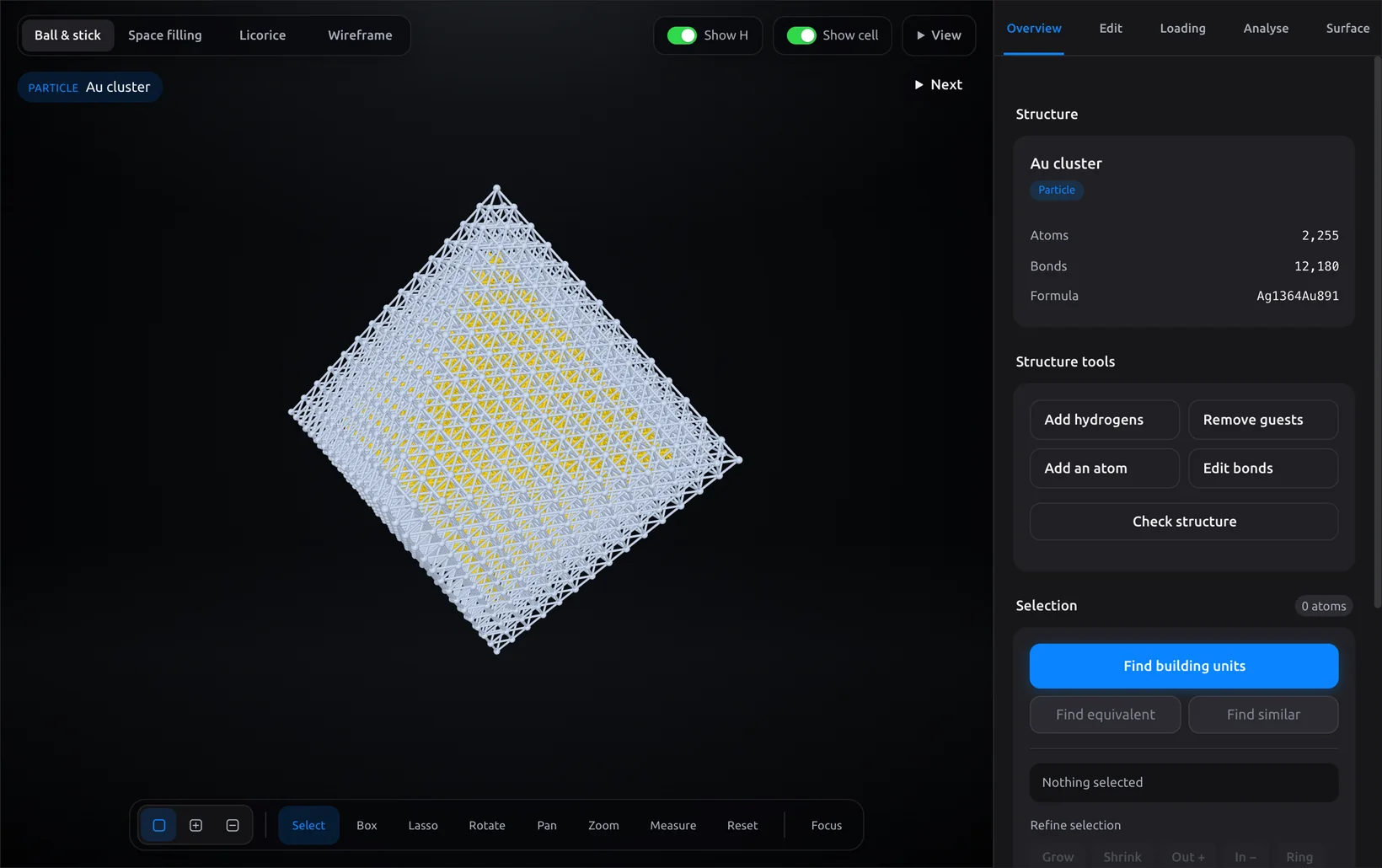
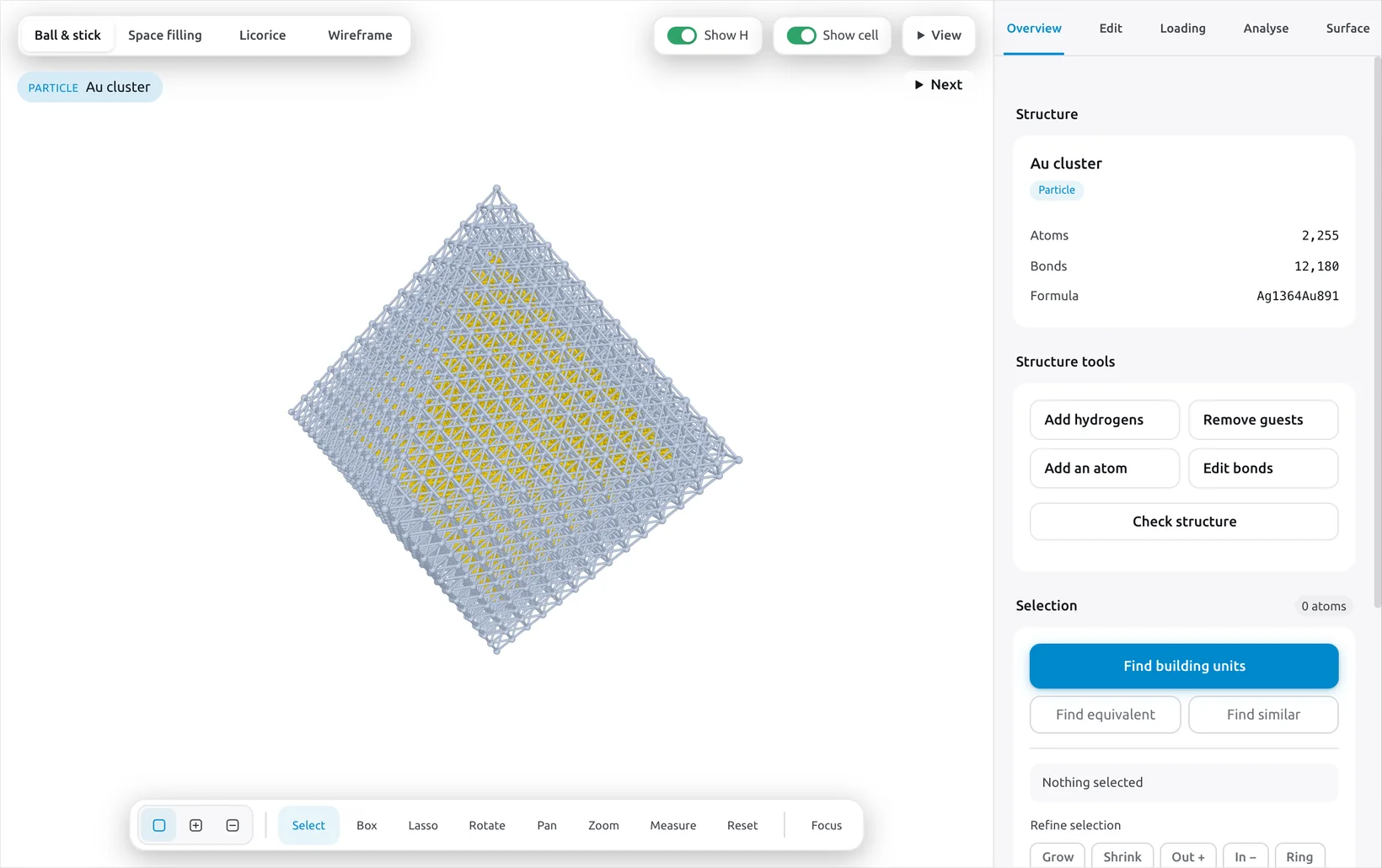
A core-shell nanoparticle
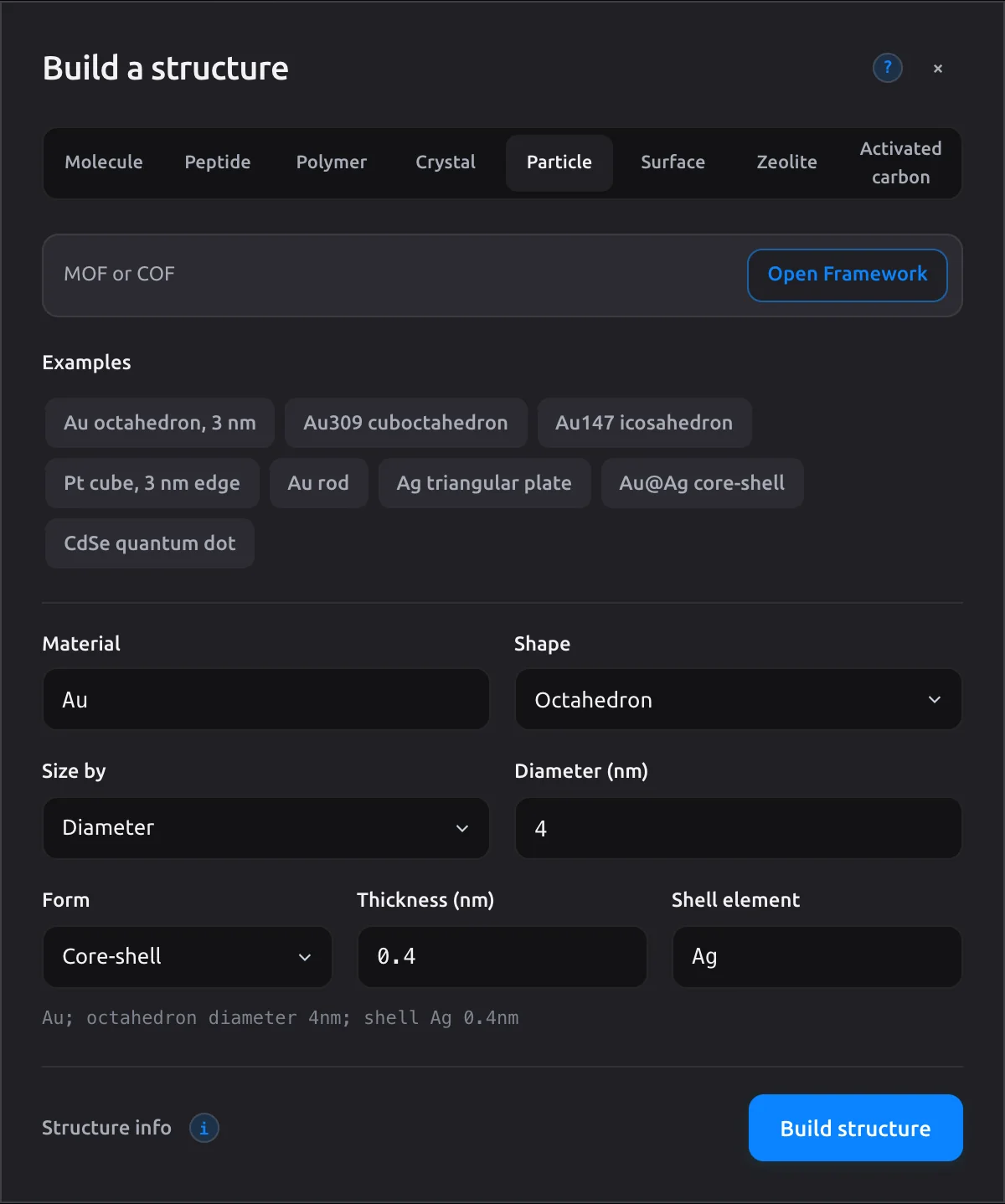
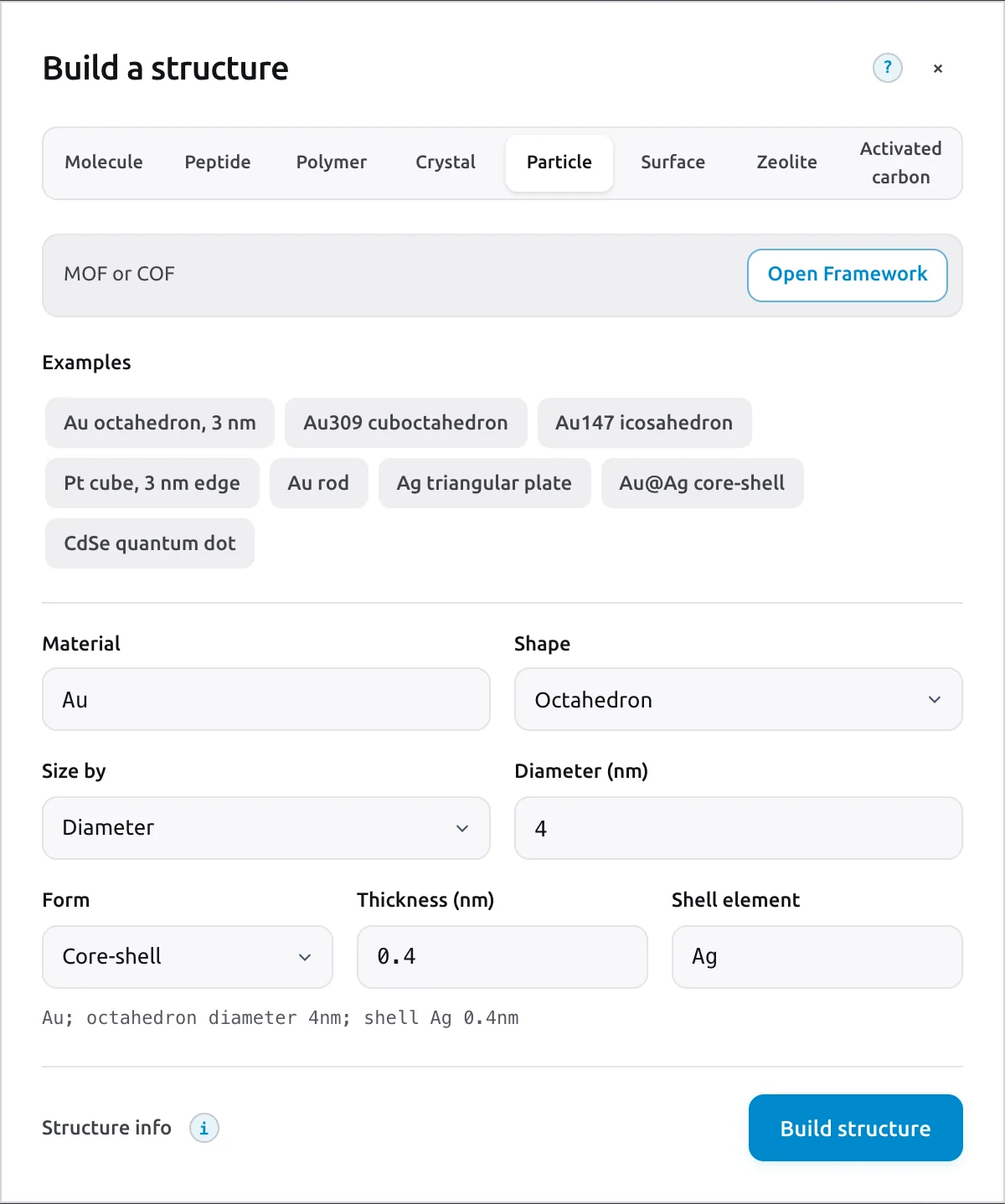
A gold octahedron with a silver shell: shape, size and form chosen in boxes.
In Build, choose Particle. Set the material, the shape (faceted, twinned, rods, plates, stars), the size as a diameter, an edge or an atom count, and the form: solid, hollow, a frame or core-shell. The line under the boxes is the specification they write, which you can type yourself next time.
Press Build structure. The report gives the size you asked for beside what was built, since a particle grows by whole layers of atoms. Cap it under Surface → Ligand shell or set a protein against it with Partner.