Skip to the content
LOADING AND ADSORPTION

Simulate a gas mixture isotherm

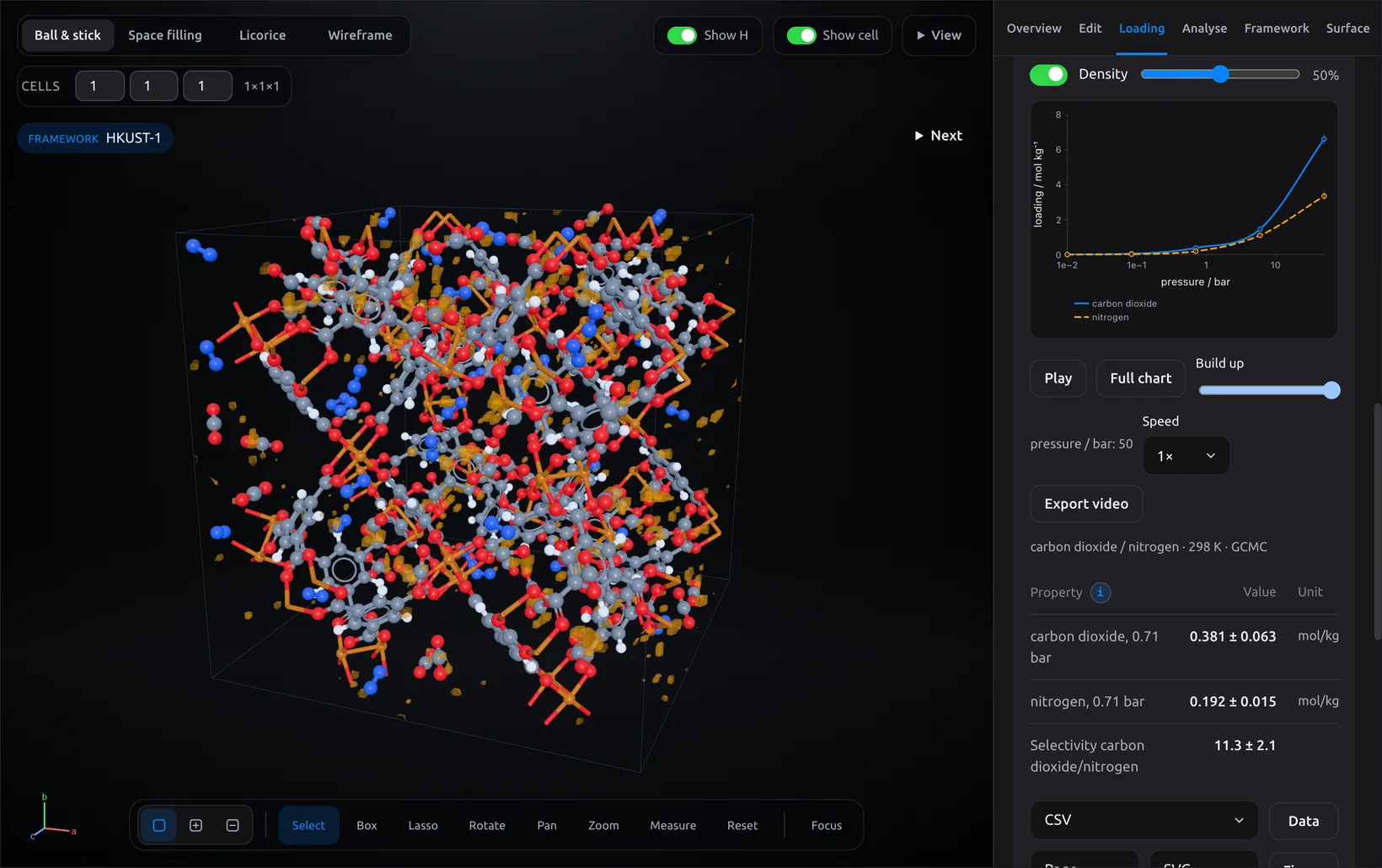
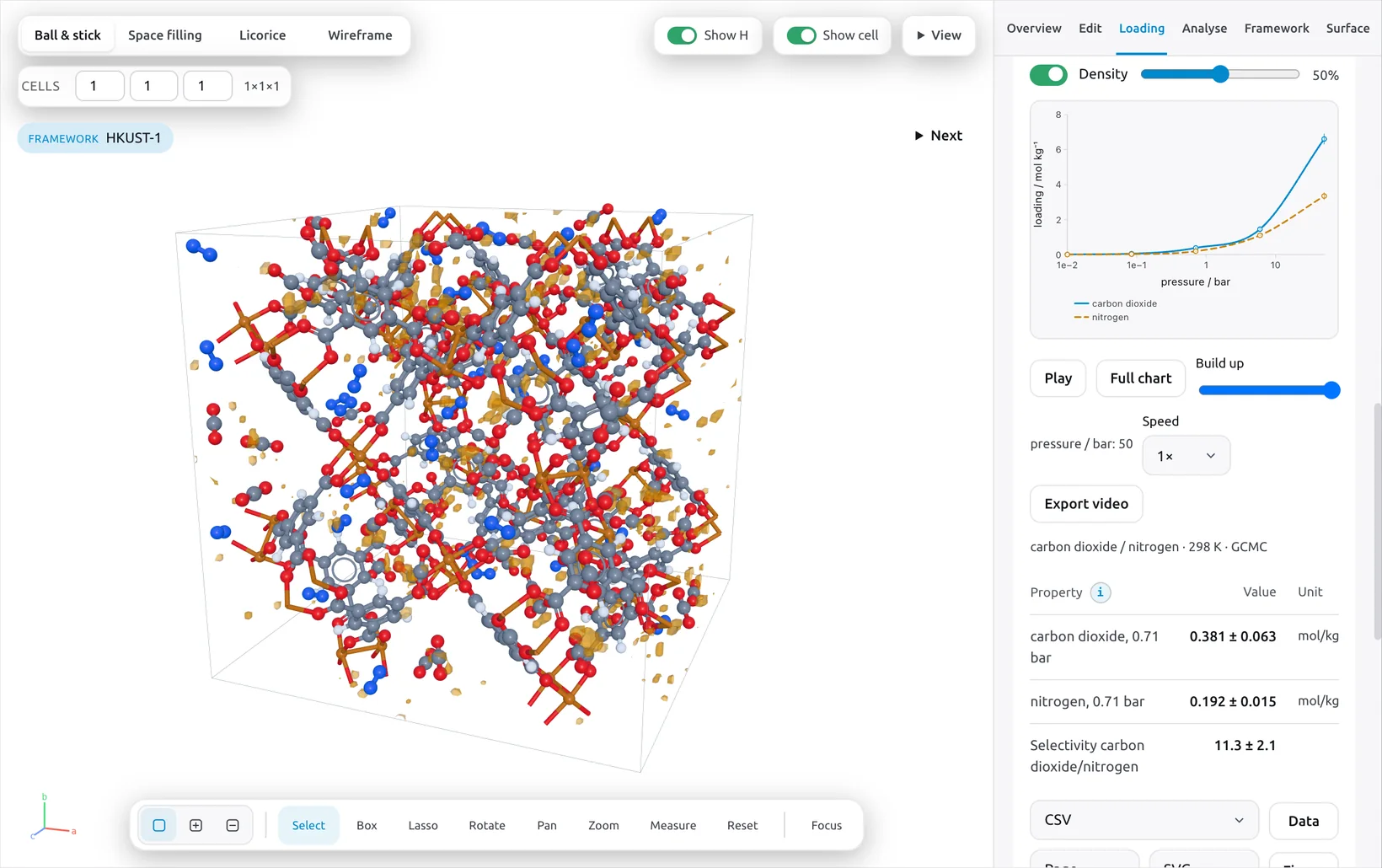
CO2 and N2 in HKUST-1 by grand canonical Monte Carlo: uptake of each gas and the selectivity.

  1. Open Loading → Adsorption simulation. Name the first gas and, under Against, the second, with the share of the first in the feed. Simulate runs grand canonical Monte Carlo, one simulation per pressure; Estimate gives an isotherm in seconds from the low-pressure limit. Every setting behind the run is under Settings.
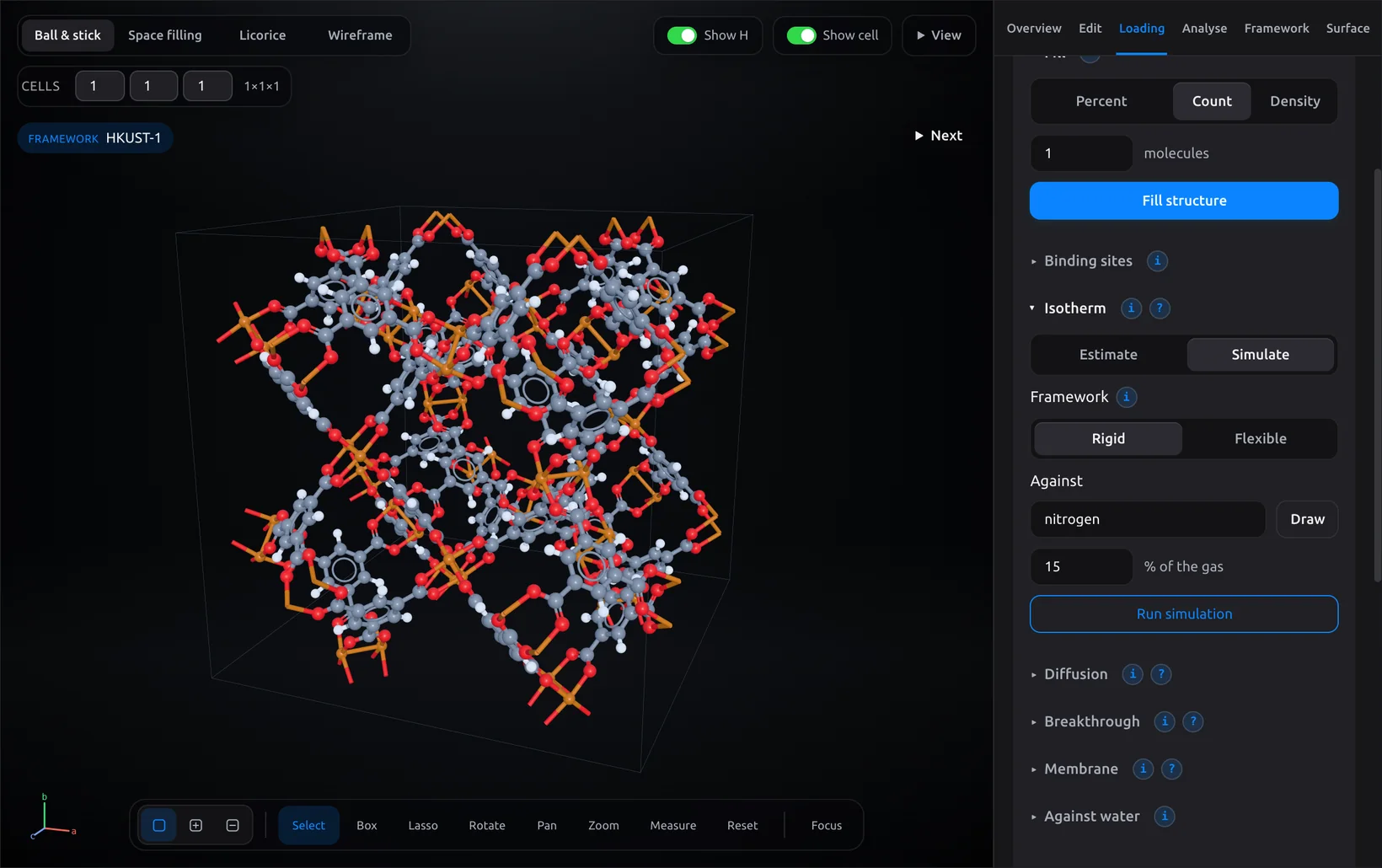
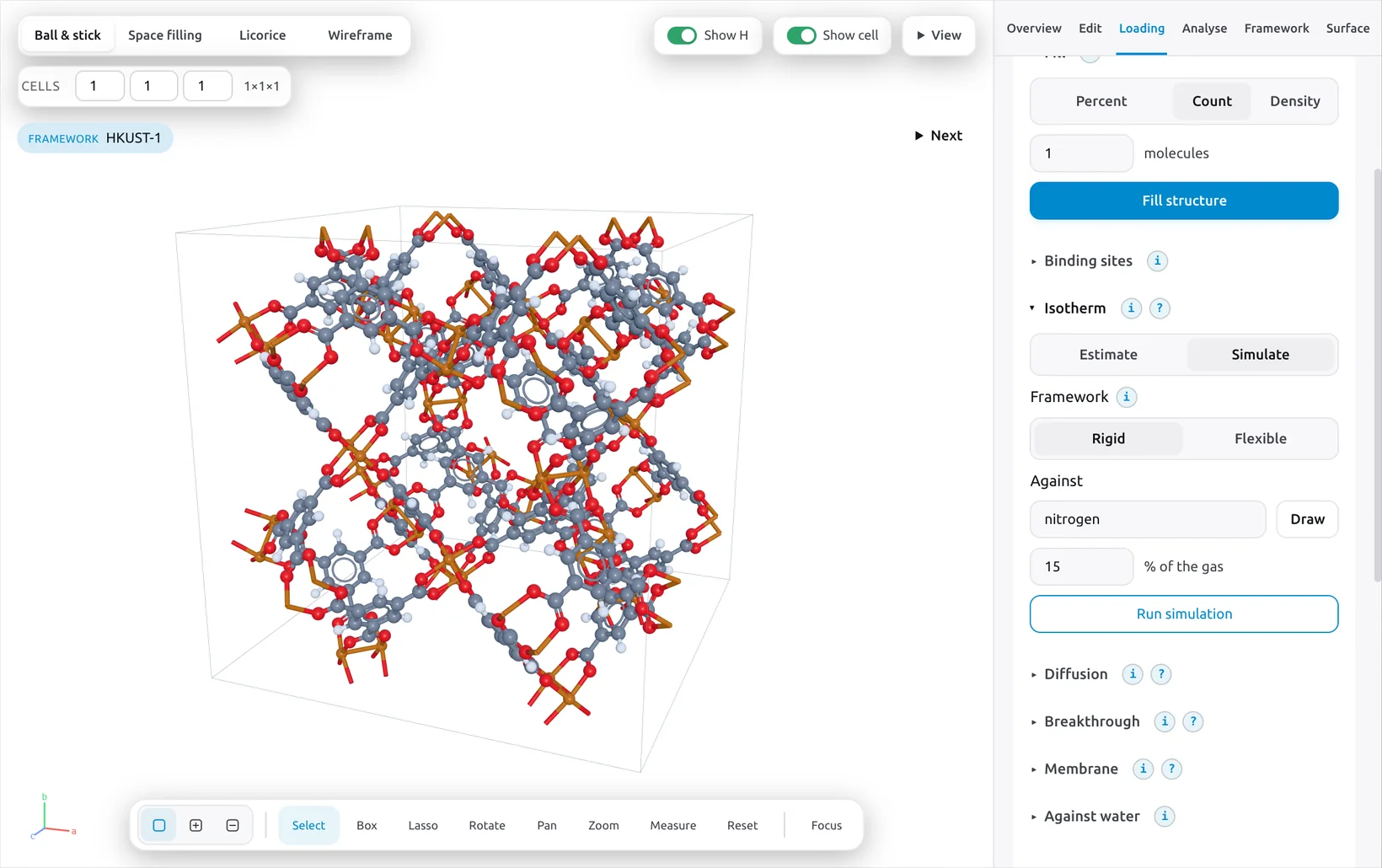
    Open Loading → Adsorption simulation. Name the first gas and, under Against, the second, with the share of the first in the feed. Simulate runs grand canonical...Open Loading → Adsorption simulation. Name the first gas and, under Against, the second, with the share of the first in the feed. Simulate runs grand canonical...
  2. The isotherm of each gas is plotted with its error bars, with the selectivity, the Henry constants and the heats of adsorption. Export the data, a figure or a report with the methods and references written out.
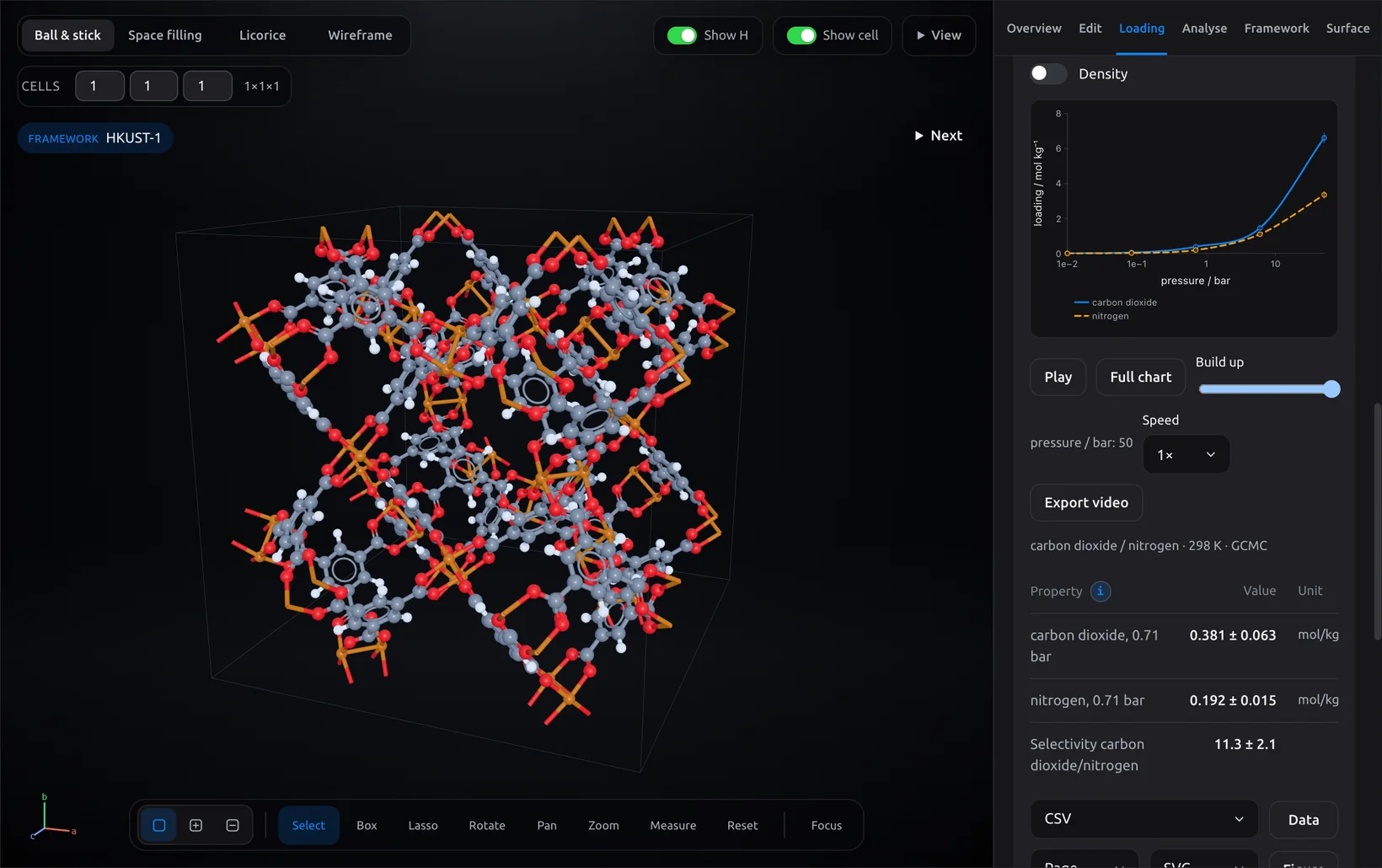
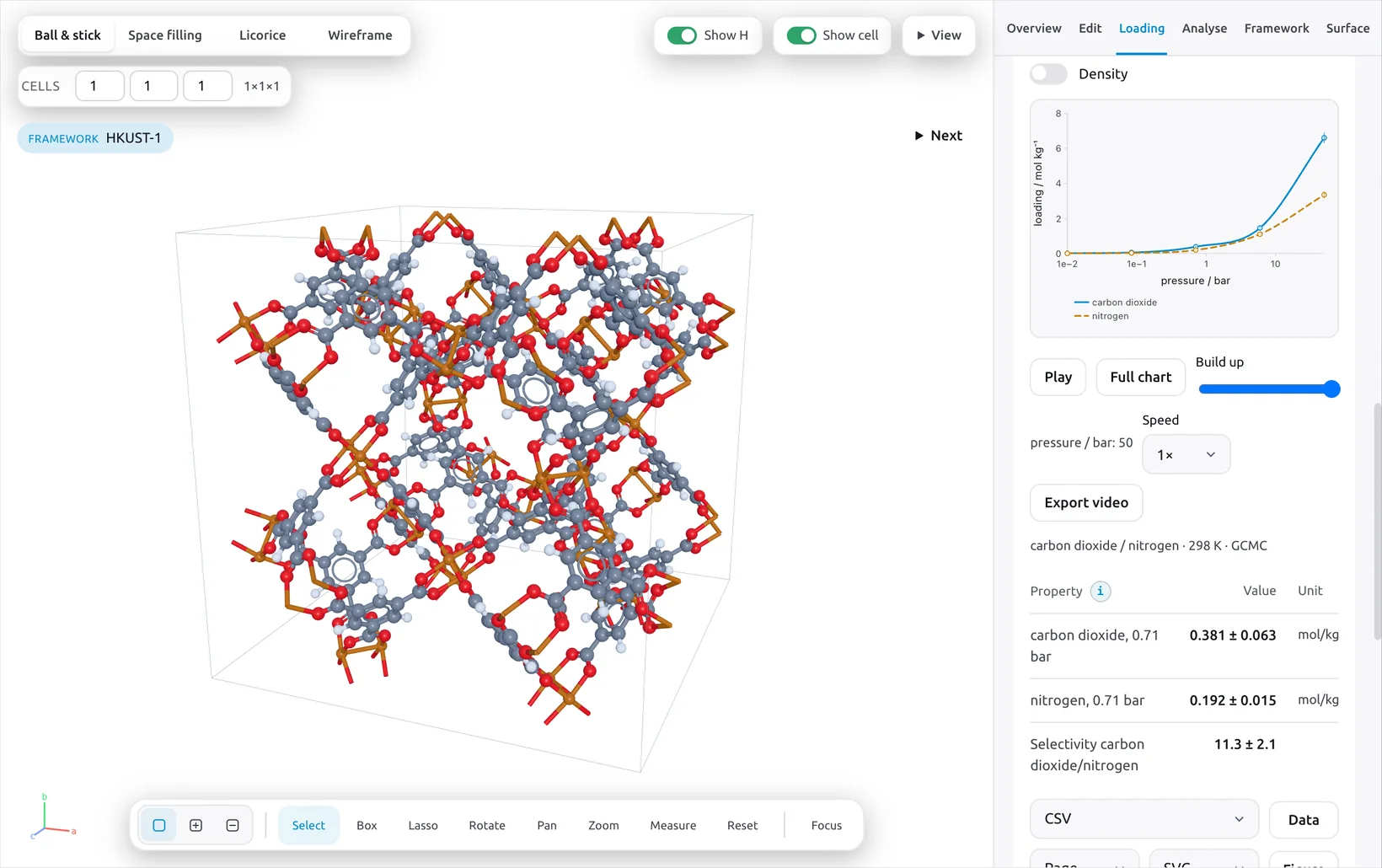
    The isotherm of each gas is plotted with its error bars, with the selectivity, the Henry constants and the heats of adsorption. Export the data, a figure or a...The isotherm of each gas is plotted with its error bars, with the selectivity, the Henry constants and the heats of adsorption. Export the data, a figure or a...
  3. Turn on Density beside the run to see where the molecules spent their time at that pressure: a surface around the most visited places, in every cell shown. The slider sets the share of the molecules inside it; lower it to see only the strongest sites.
    Turn on Density beside the run to see where the molecules spent their time at that pressure: a surface around the most visited places, in every cell shown. The...Turn on Density beside the run to see where the molecules spent their time at that pressure: a surface around the most visited places, in every cell shown. The...