Skip to the content
ANALYSE

Deconstruct a framework into its units

UiO-66 cut into its Zr6 nodes and terephthalate linkers, each one ready to reuse in the builder.

  1. Choose Analyse → Deconstruct and press Deconstruct. Choose the level of the cut and how the cut bonds are filled; the units are listed with their formulas and how many of each the cell holds.
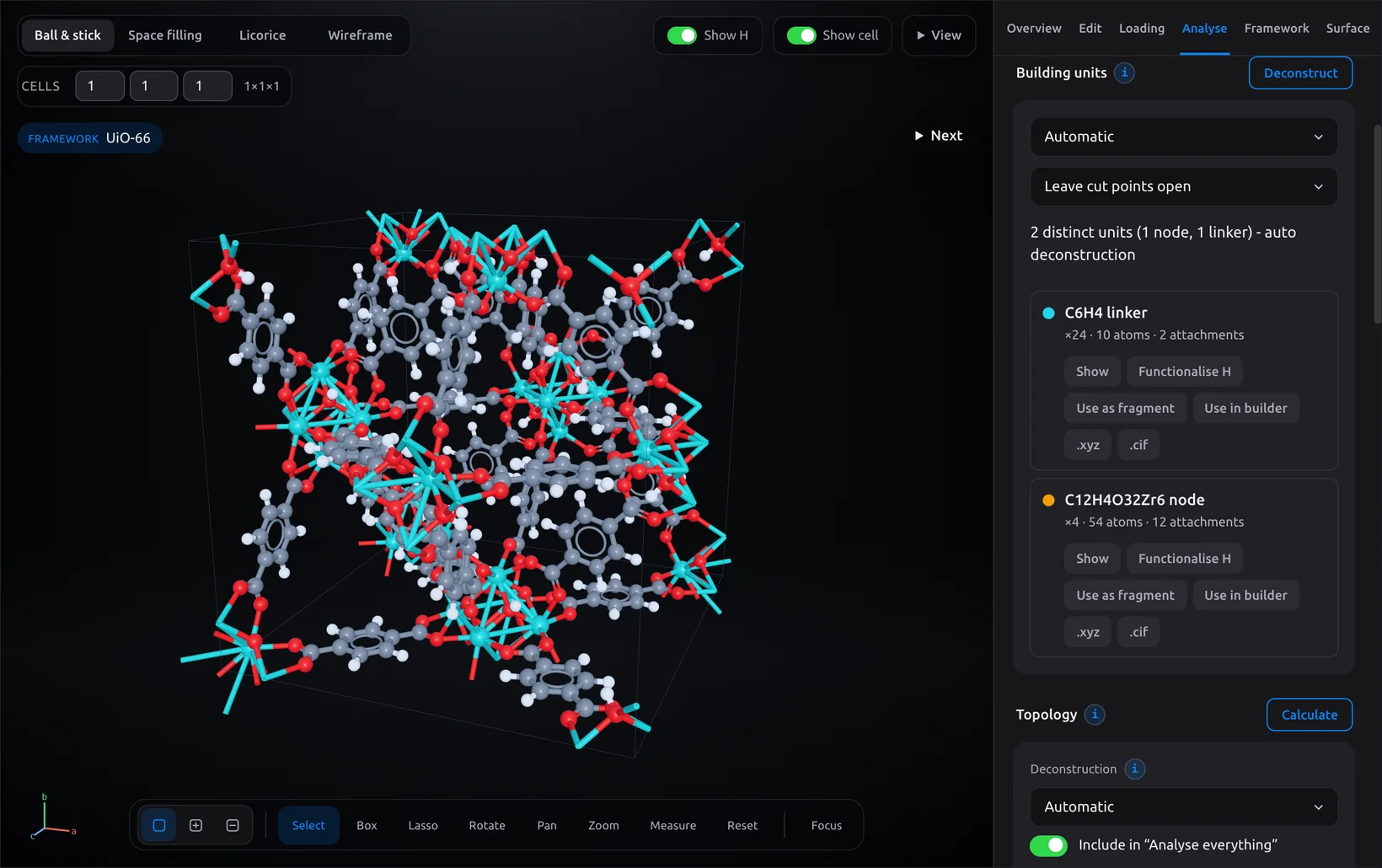
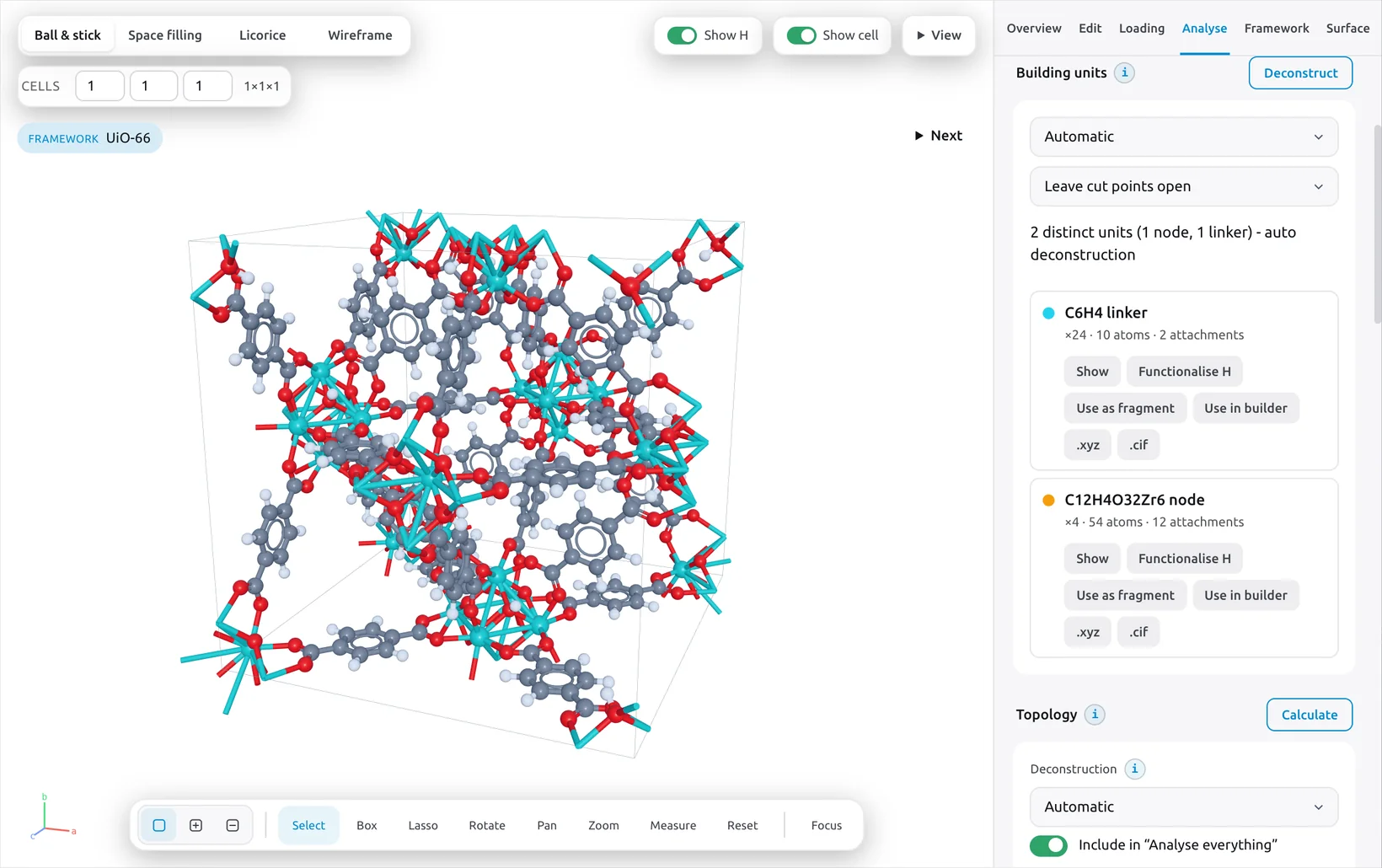
    Choose Analyse → Deconstruct and press Deconstruct. Choose the level of the cut and how the cut bonds are filled; the units are listed with their formulas and...Choose Analyse → Deconstruct and press Deconstruct. Choose the level of the cut and how the cut bonds are filled; the units are listed with their formulas and...
  2. Ligand/cluster fingerprint names the framework by its forms and net, the same for any cell of the same material, so two files of one MOF can be recognised as one. Use in builder on a node takes it to the Framework builder with its connection points marked.
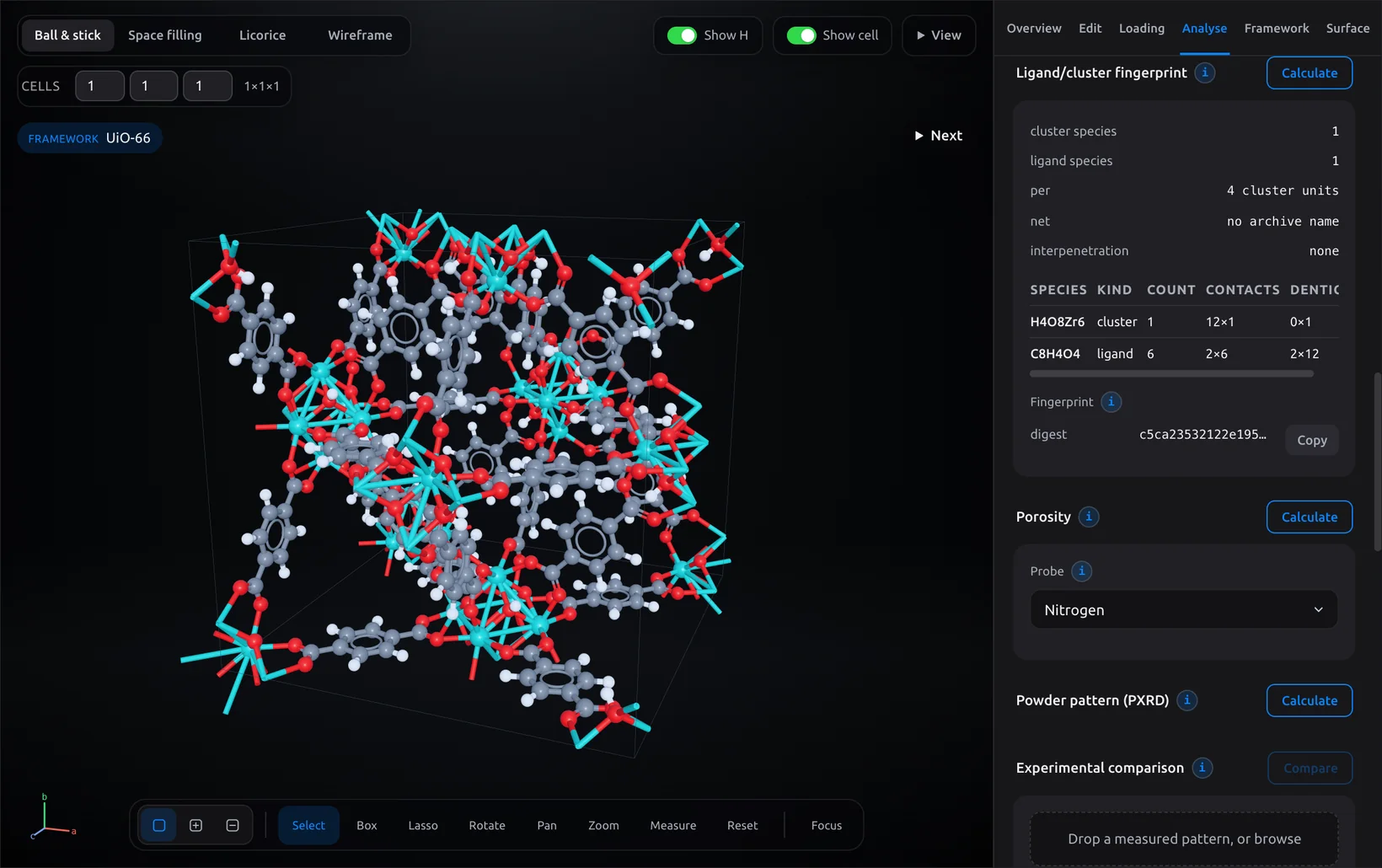
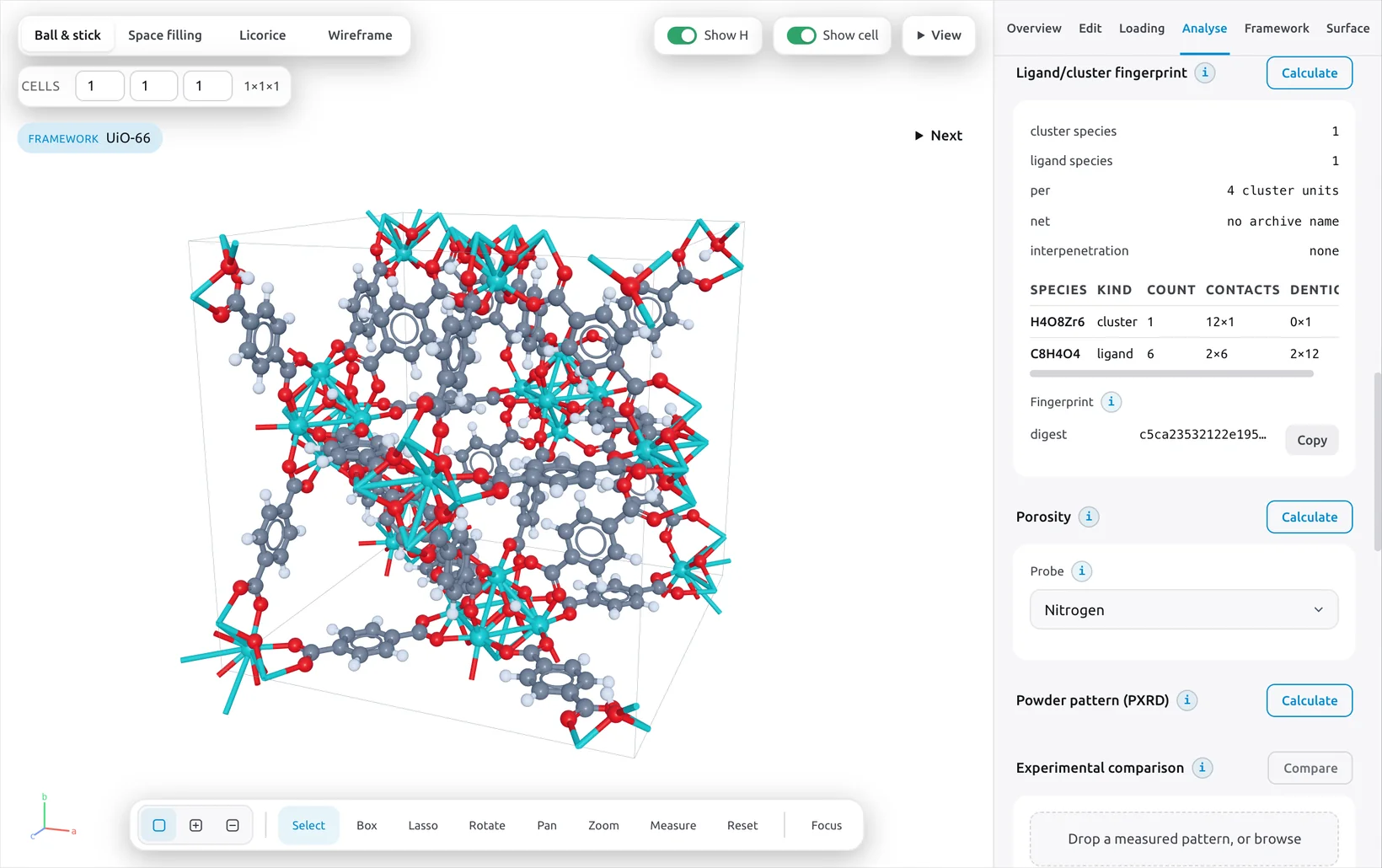
    Ligand/cluster fingerprint names the framework by its forms and net, the same for any cell of the same material, so two files of one MOF can be recognised as...Ligand/cluster fingerprint names the framework by its forms and net, the same for any cell of the same material, so two files of one MOF can be recognised as...